THORWallet Premium cardYour card is here.
Activate it in a minute.
Keep the card in your hand and open THORWallet on your phone. Three steps, and you can pay.

How to activate your card
-
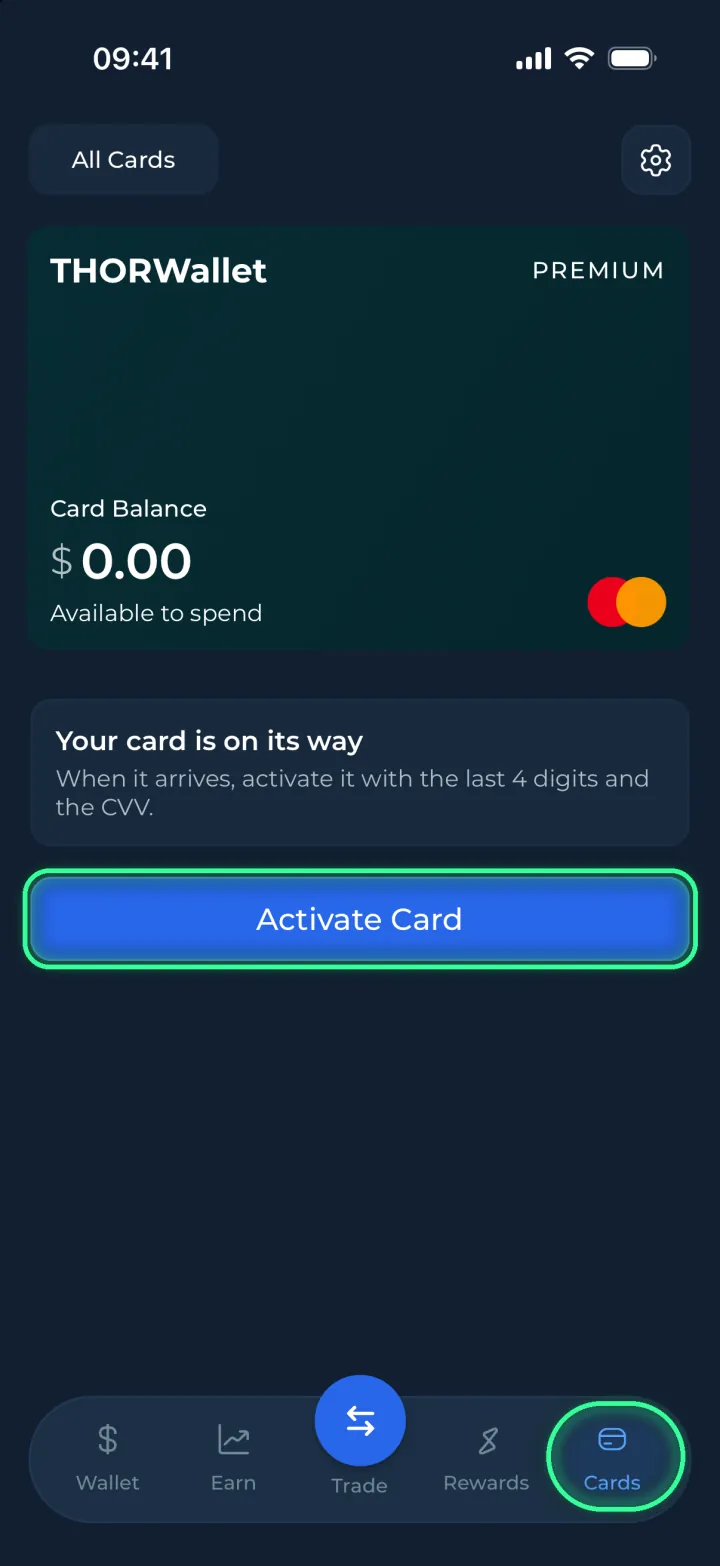
Open Cards
Open THORWallet and tap Cards at the bottom of the screen. Under your Premium card, tap Activate Card.
-
Enter the last 4 digits and the CVV
Turn your card over. Type the last 4 digits of the card number and the 3-digit CVV, then tap Activate Card.
Last 4 digits: the end of the card number. CVV: the 3-digit code. 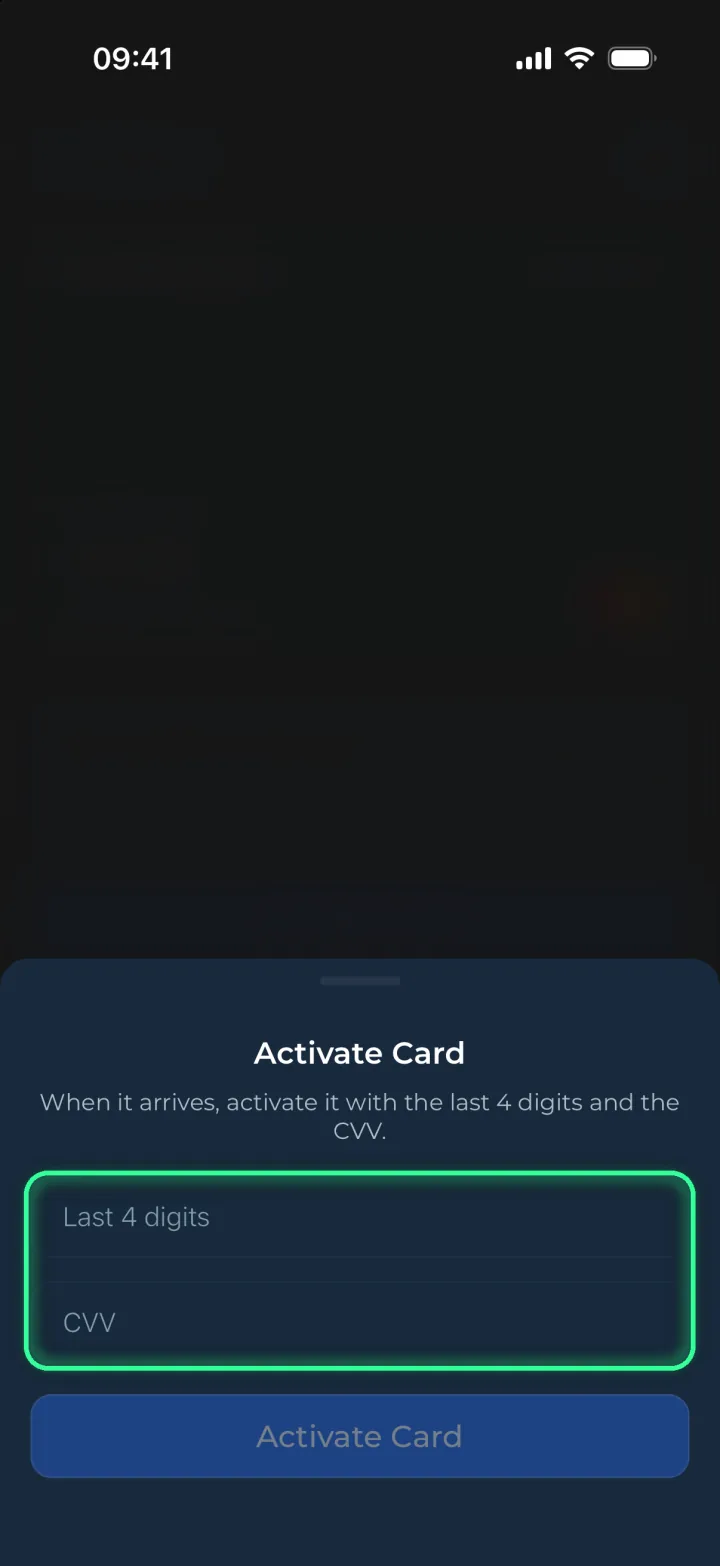
-
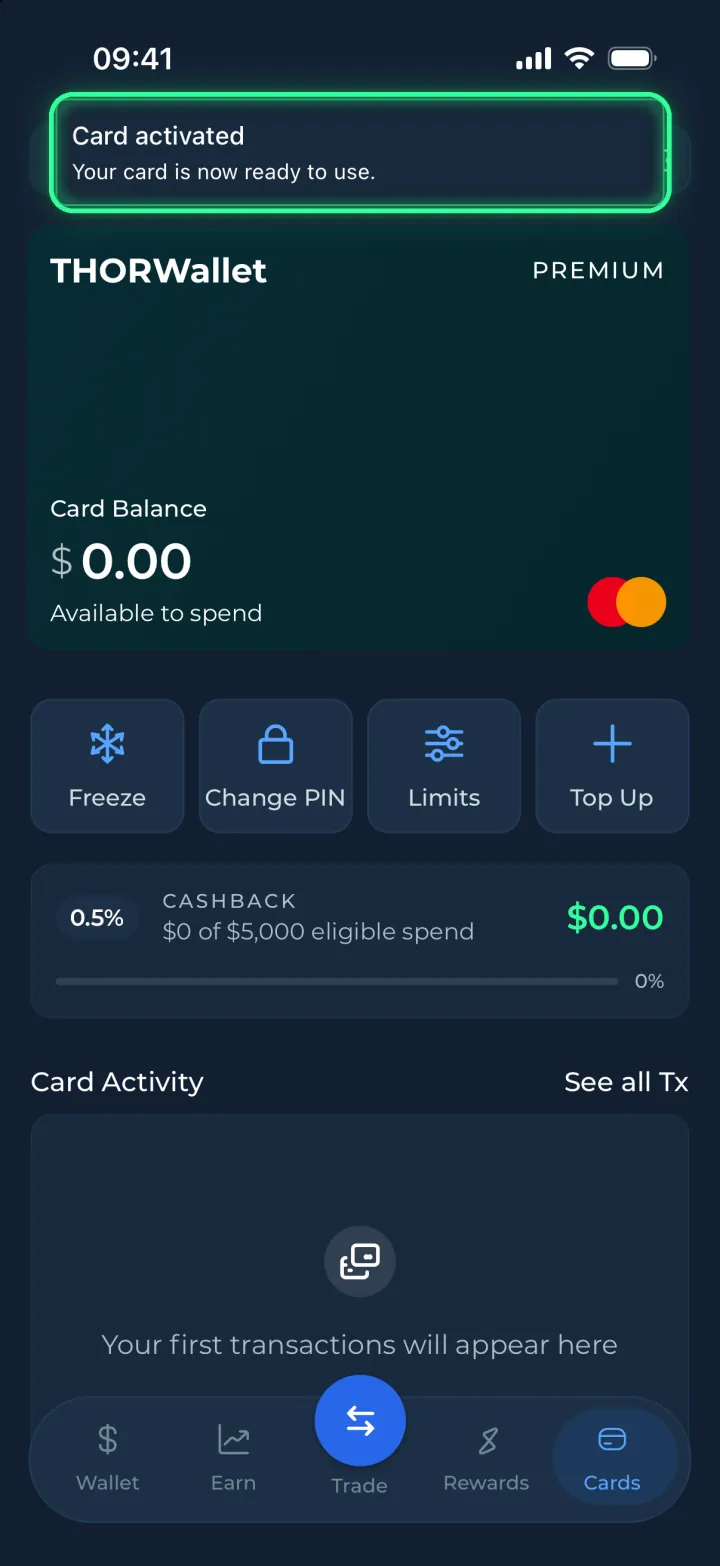
Done
When the app shows Card activated, your card is ready. Add money with Top Up, then pay wherever Mastercard is accepted.
Your card PIN
It is the 4-digit PIN you chose when you ordered the card. You need it at payment terminals and ATMs.
Forgot it? Tap Change PIN under your card and choose a new one. The card PIN is not the passcode of your THORWallet app.
Only in the app
Type your card details only in the THORWallet app. This page never asks for them.
We never ask for your card number, CVV, PIN or recovery phrase by email, phone, chat or on a website. Anyone who asks is trying to steal from you.
No THORWallet on this phone?
Install the app, then open the wallet you ordered the card with. On a new phone, restore that wallet with its recovery phrase first.
Something not working?
I don't see Activate Card.
Update THORWallet to the latest version. Then check that you are in the wallet you ordered the card with. If you have more than one card, pick the green Premium card.
The app says: This card is not linked to your wallet.
You are in a different wallet. Switch to the wallet you ordered the card with and try again.
The app says: Too many attempts.
Wait a few minutes. Check the last 4 digits and the CVV on your card, then try again.
My card is damaged or did not arrive.
Write to us in the app: open Settings and tap Contact Support. You can also email info@thorwallet.org.
I lost my card or it was stolen.
Open Cards and tap Freeze right away. No payment goes through while the card is frozen. Then contact support in the app.
Everything else about your card: Manage your card